A rental management app where managers, tenants and staff each see only their part.
A rent, lease and repair system for a small property team, with separate views for managers, tenants and maintenance staff. AI repair triage with a person in charge, and rent marked paid only by a signed Stripe webhook. Live demo with sample data.
The problem: rent, leases and repairs live in spreadsheets, WhatsApp and email.
Missed payments
Rent is chased by hand, so it is hard to see who has paid and which charges are overdue.
Lost repair requests
Requests come in by message and email, and nobody knows which ones are still waiting.
Tenants keep asking
Tenants cannot see what is happening with the leak they reported last week, so they call and message for updates.
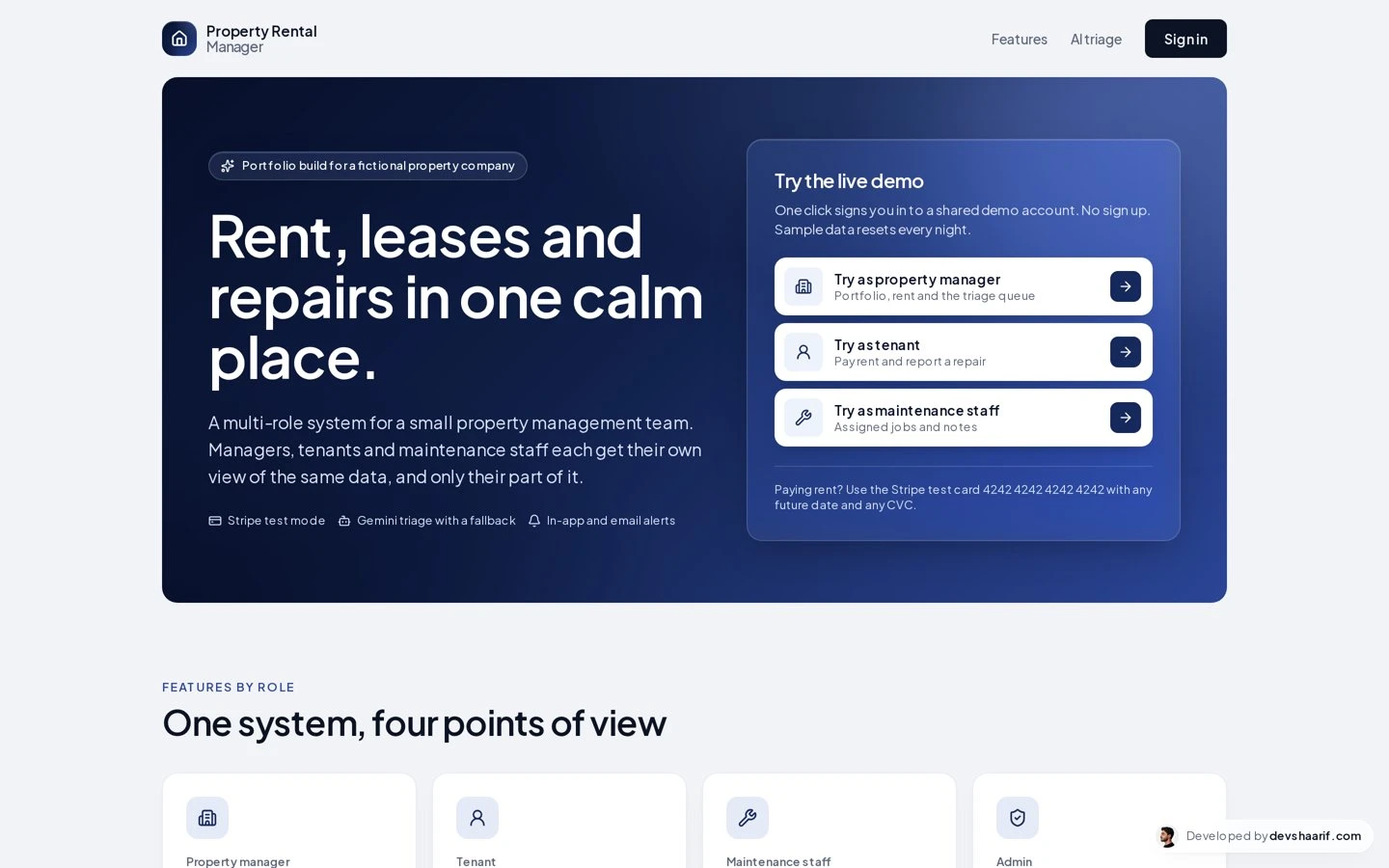
Live demo: pick a role and you are signed in.
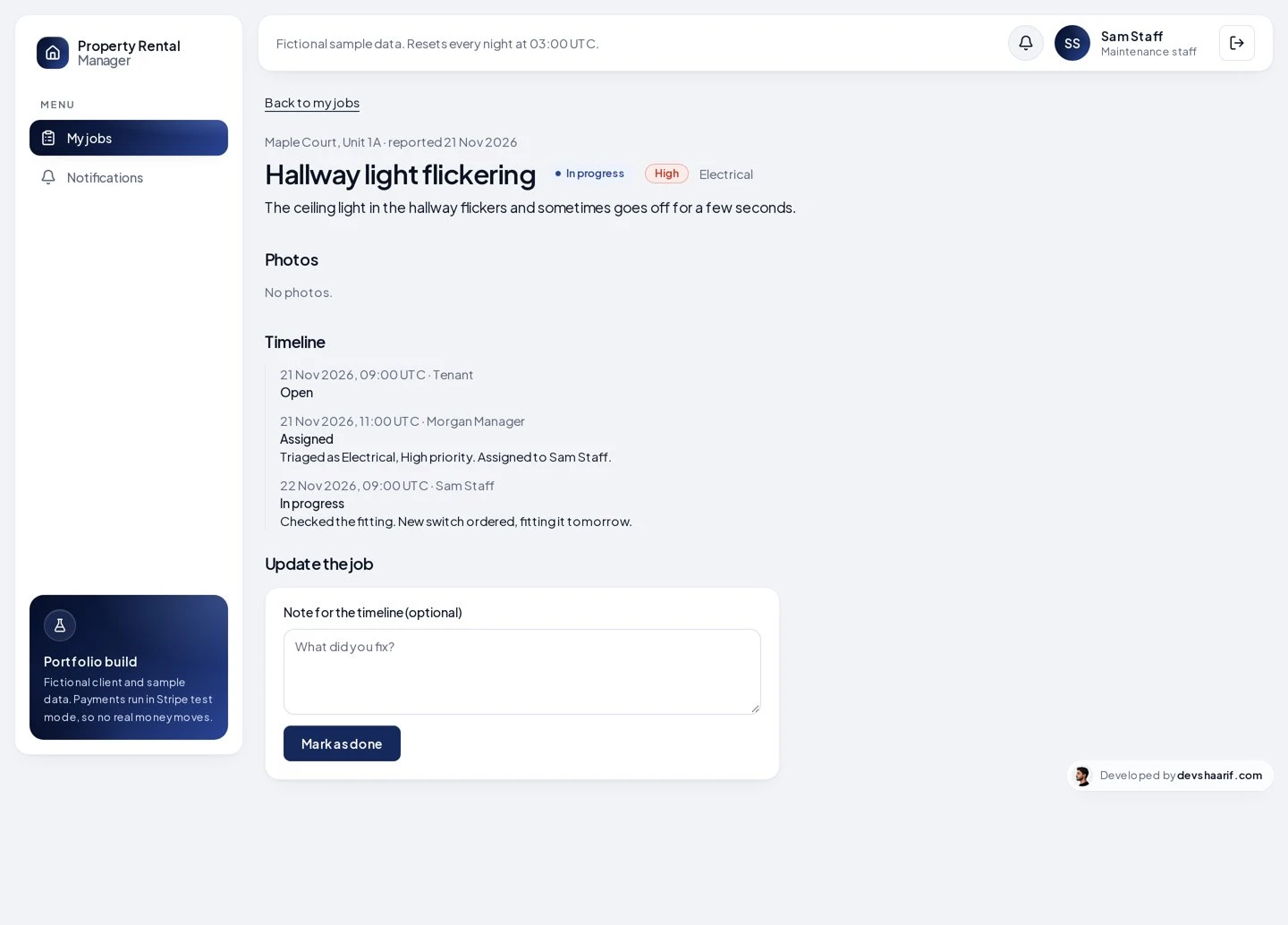
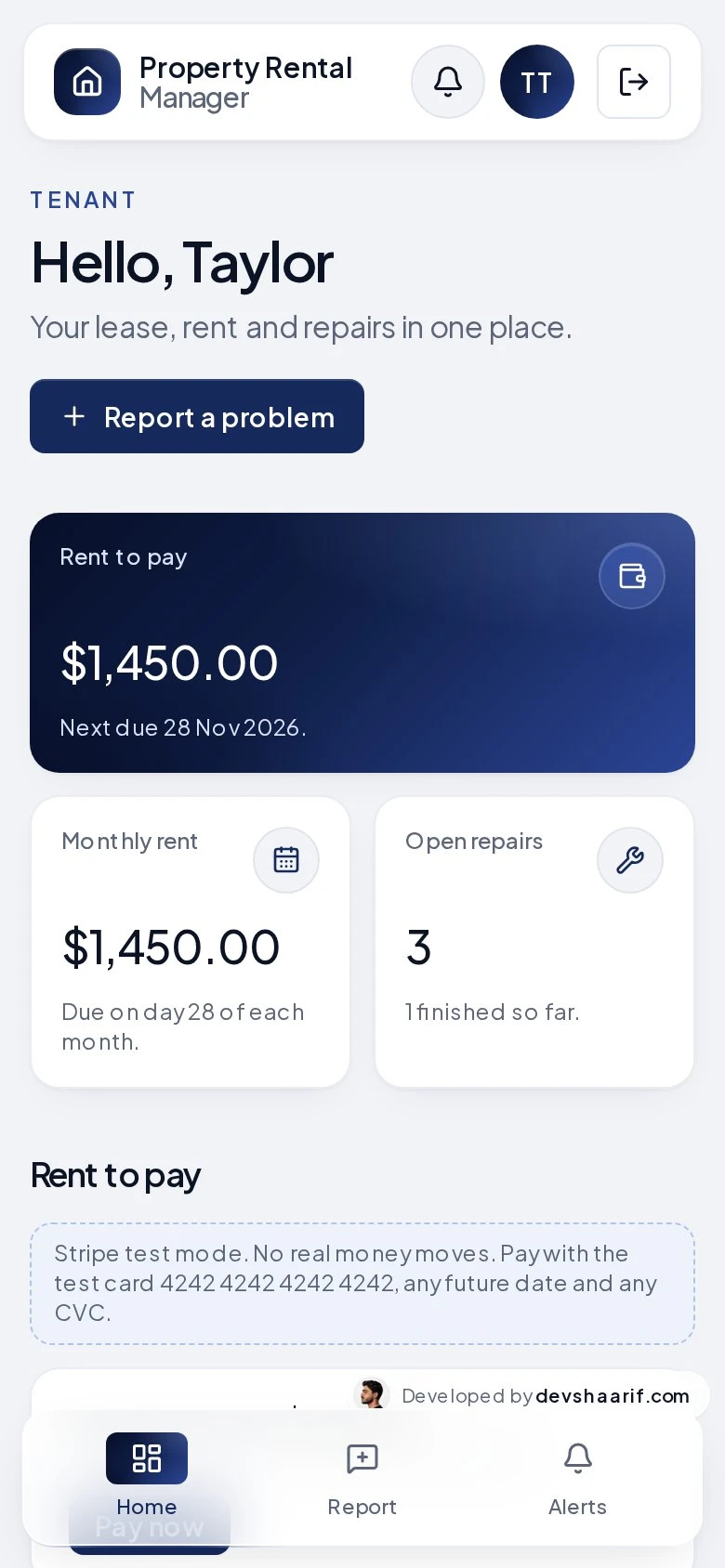
One click signs you in to a shared demo account, no sign up. Try it as the property manager, a tenant or maintenance staff. Paying rent uses the Stripe test card 4242 4242 4242 4242 with any future date and any CVC.
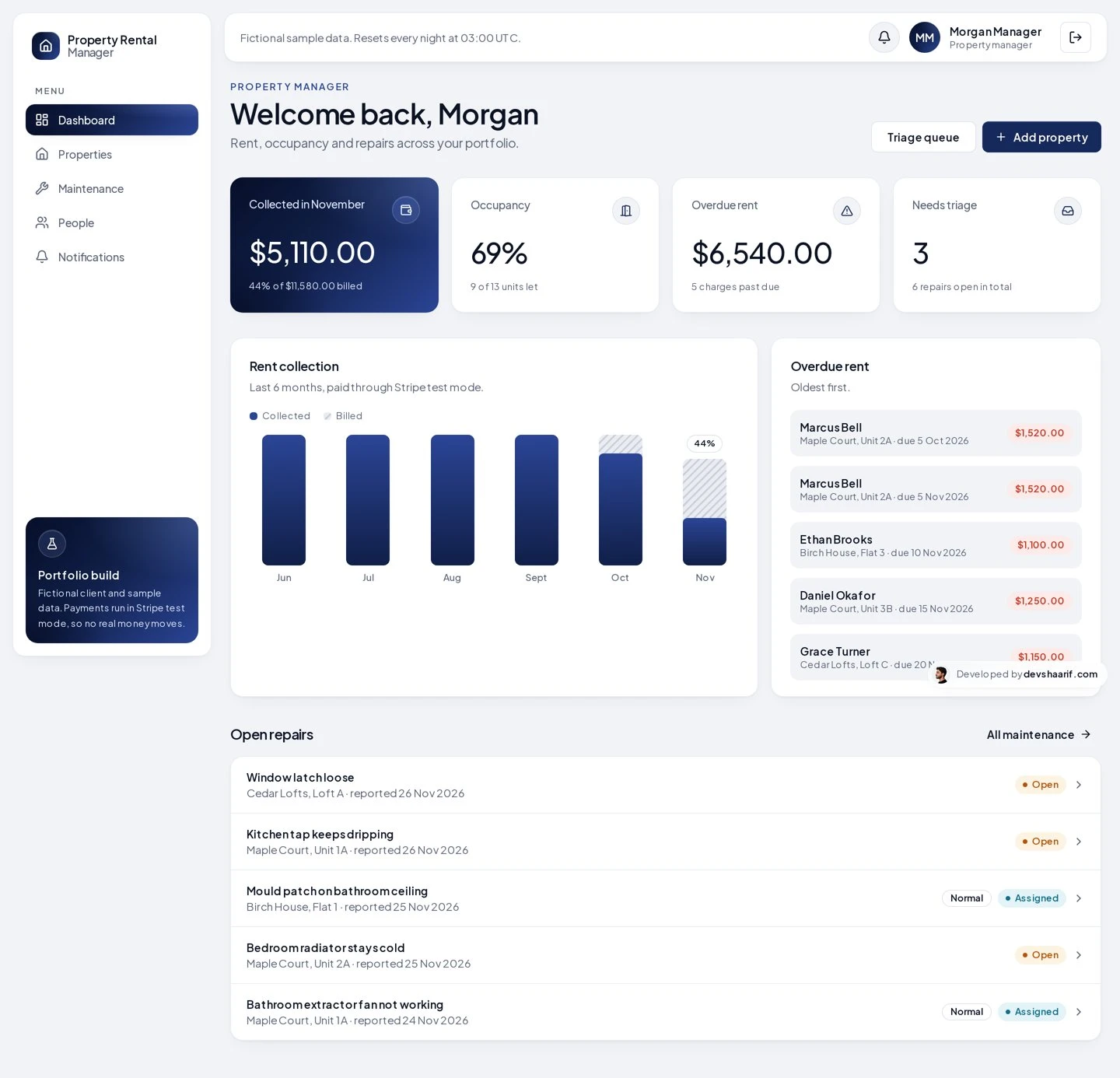
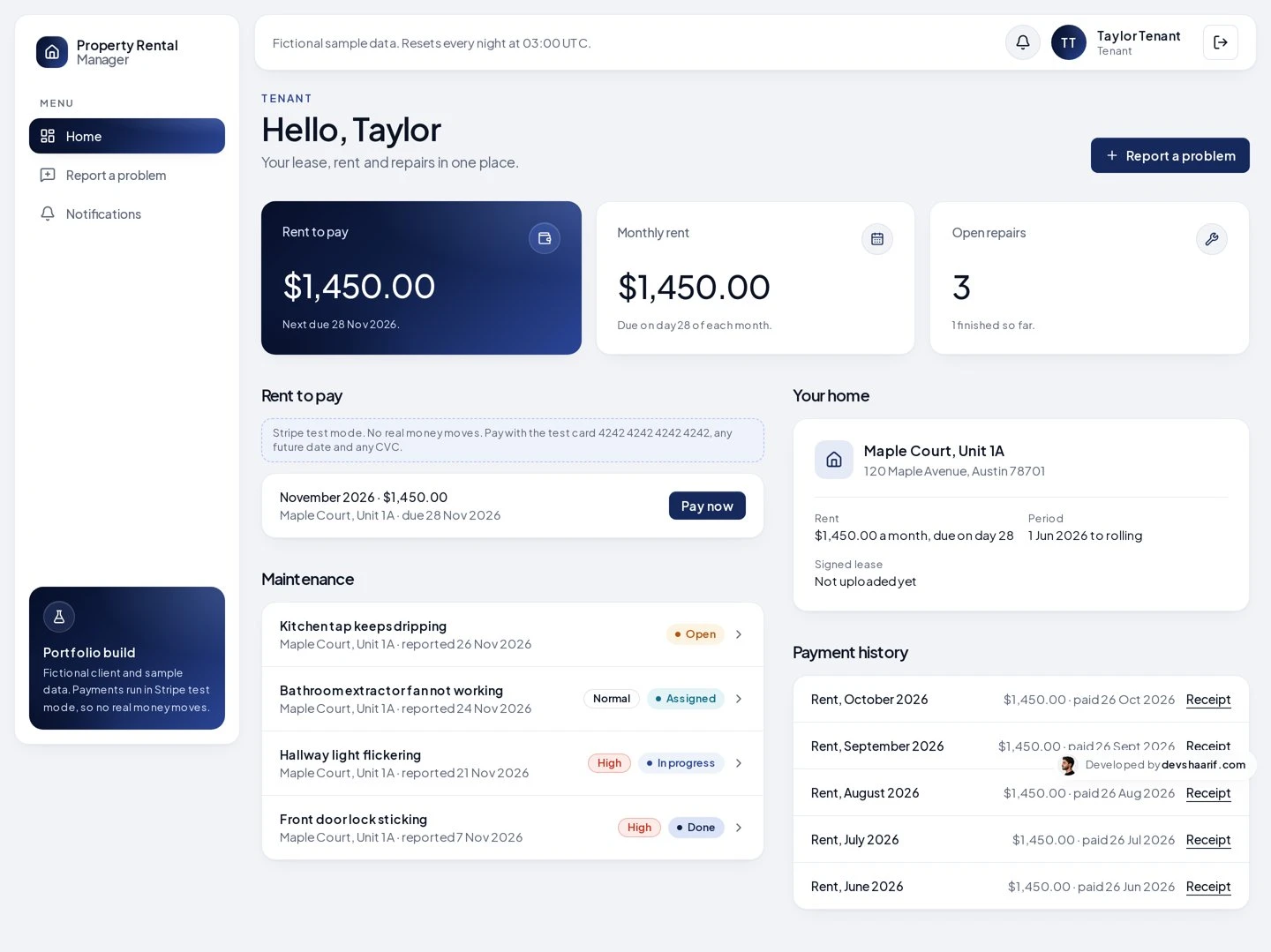
Portfolio build. Fictional client, sample data, Stripe test mode. No real money moves.
What I built: one system, four roles, each sees only its own part.
Property manager
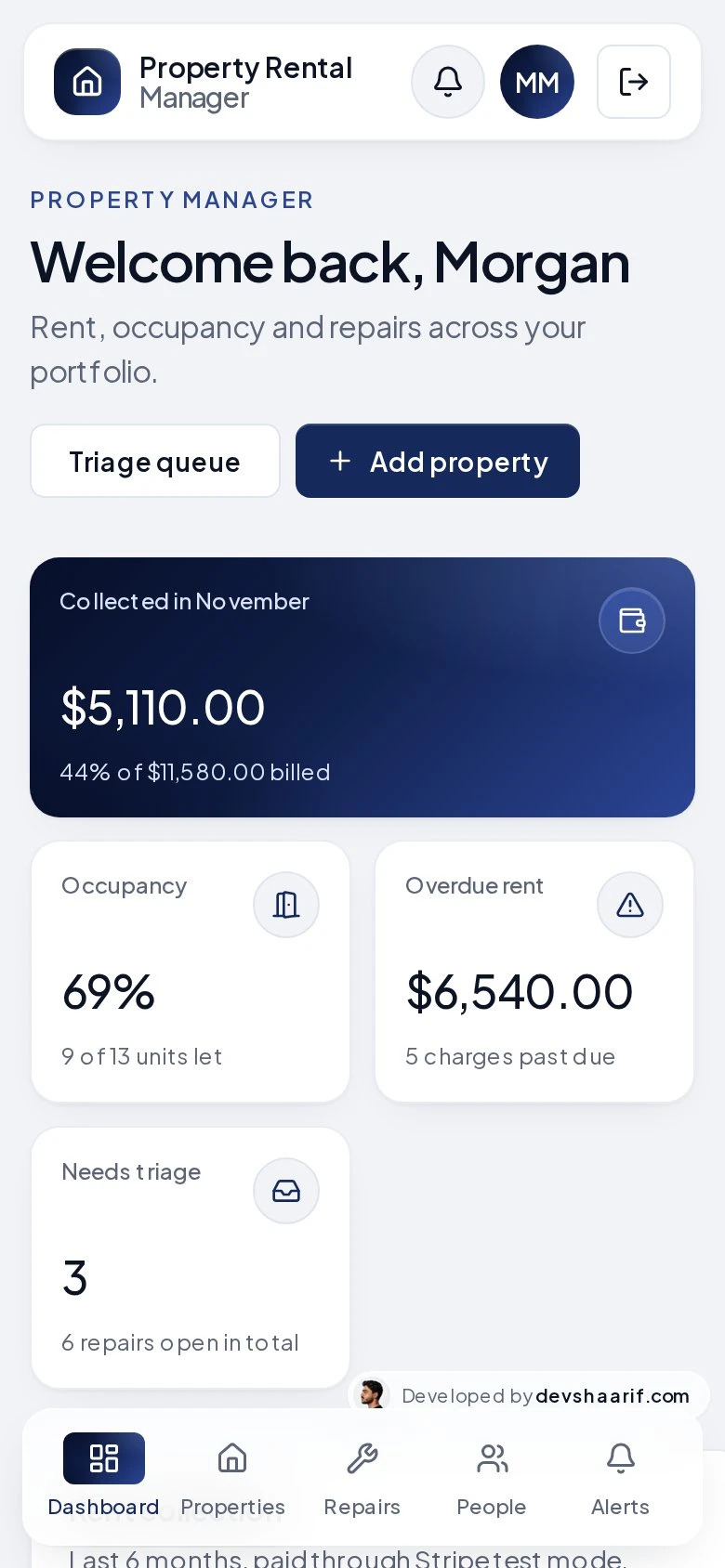
Properties, units and leases with signed PDFs. Monthly rent charges with overdue tracking, and a triage queue for repairs.
Tenant
Lease, rent due and payment history in one view. Pays rent through Stripe Checkout and reports repairs with photos.
Maintenance staff
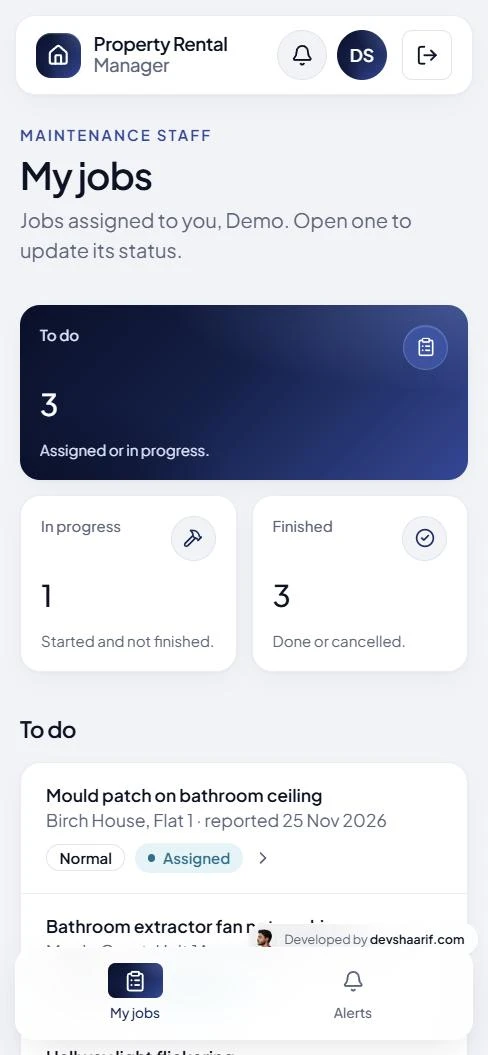
Sees only their assigned jobs, moves them to in progress or done, and leaves notes the tenant can read. Nothing financial.
Admin
Invite-only accounts for each role and an audit log of sensitive changes.
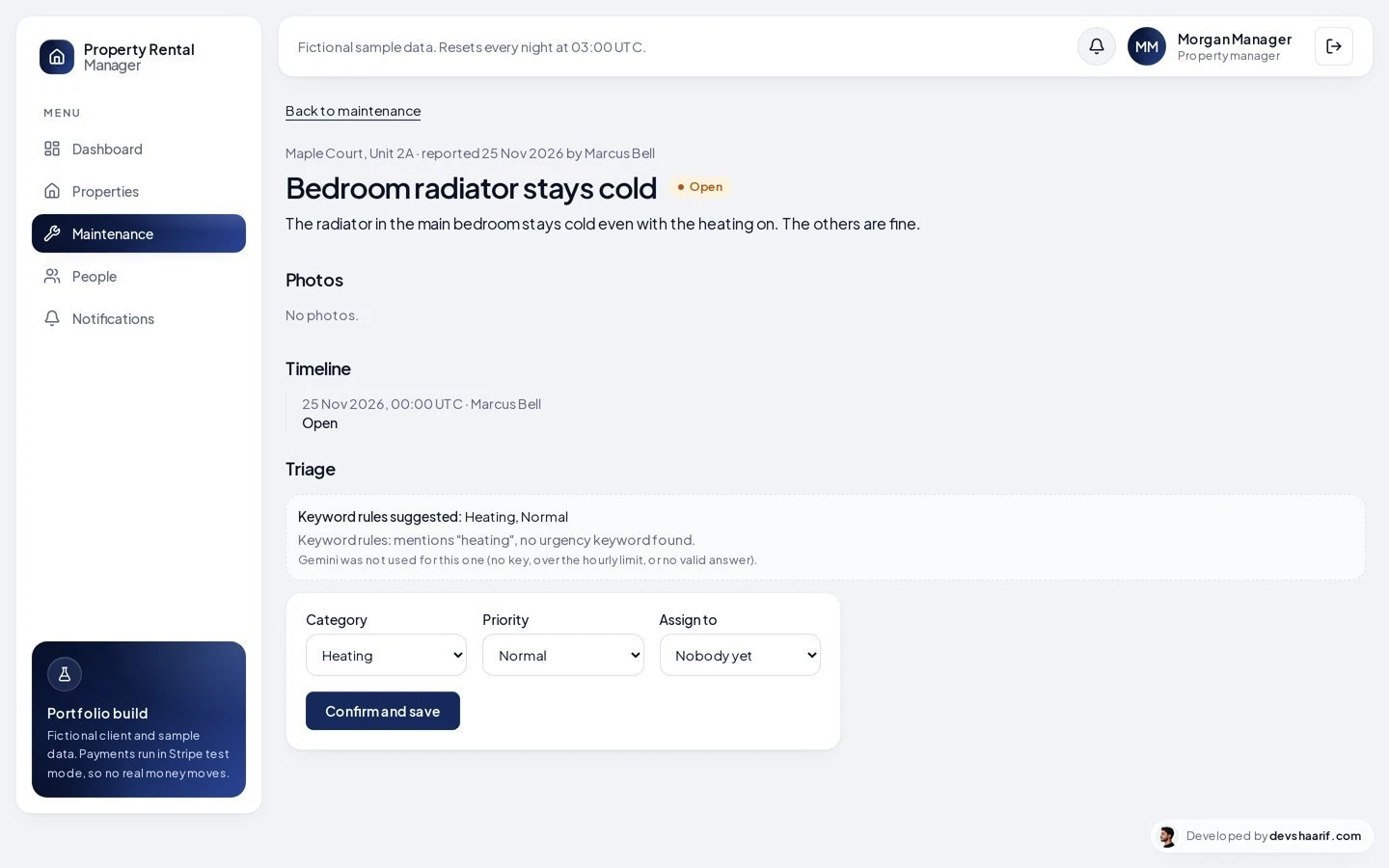
The AI suggests. The manager decides.
When a tenant reports a repair, the server asks Gemini for a category and a priority. The answer has to pass a strict schema, and if the AI is not available the keyword rules take over, so a request is never blocked. Nothing happens until the manager confirms.
1. Gemini gets the request and a fixed list
   of categories and priorities
2. Answer parsed with a strict Zod schema
3. Bad answer, timeout or hourly limit
   -> keyword rules suggest instead
4. Suggestion saved with its source: ai or rules
5. Manager confirms or changes it,
   then picks who does the job
Rent is marked paid only by Stripe
The app never trusts the browser to say rent was paid.
- Tenant clicks PayA pending payment is created and Stripe Checkout opens
- Stripe sends a signed eventTo the webhook, not the browser
- Signature verifiedAnything unsigned or wrong is refused
- Payment recordedA database function checks the amount and currency and is safe to call twice
Stripe runs in test mode. A live key is refused at startup.
Phone friendly: a bottom tab bar on phones, a sidebar on desktop.
Key decisions and why I made them.
Security in the database
Every business table carries an org id with row level security. pgTAP tests prove one organization cannot read another, and each role sees only its own rows.
Invite only
Sign up is closed. Invite tokens are single use, stored only as a hash and valid for 7 days. Roles come from the database, never from the login token.
Tested end to end
Playwright runs the main flows in CI on every pull request: the tenant reports a repair, the manager triages it and staff finish the job. It also checks that rent is paid only through a signed webhook.
A demo that resets itself
A nightly job rebuilds the sample portfolio at 03:00 UTC, so anyone can try every role without breaking it for the next person.
More safety details
Lease PDFs and repair photos live in private storage and are only served through short-lived signed links.
The audit log is insert-only, enforced in the database.
Rent charges are created and marked overdue by scheduled jobs inside Postgres. Clients cannot write charges or payments.
No secrets in the repo. The example env file has placeholders only.
Try it or run it: live demo and full source.
The live demo needs no sign up. The source code, architecture and data model diagrams and the full setup guide are on GitHub. It runs on free tiers only.
Tech stack
Run it locally
Needs Node 22, pnpm and Docker. The full guide is in the README.
- Installpnpm install
- EnvironmentCopy .env.example to .env.local and fill in the local Supabase values
- Databasepnpm db:start runs the migrations and loads the sample data
- Security testspnpm db:test runs the row level security tests
- Startpnpm dev, then sign in with a demo account for any role
Gemini, Resend and Stripe keys are optional locally. Without Gemini, triage uses the keyword rules.