An n8n agent that researches, scores and replies to every inbound lead.
Three n8n workflows that research, score and reply to every new lead, follow up after 3 days and stop when the lead replies. Demo run: a hot lead scored 94/100 and got a personal reply in 31 seconds.
The problem: good leads get lost because nobody replies fast and nobody follows up.
Slow first reply
Someone has to open every form, check the company and write back. When that takes a day, the lead has often moved on.
No consistent scoring
Which lead is worth a call depends on who reads it. There is no record of why one was chased and another was not.
Follow-ups get forgotten
A lead that does not answer the first email usually gets nothing else. Nobody remembers to chase it 3 days later.
Demo run: a hot lead scored and answered in 31 seconds.
Test lead, not a client: a Shopify store asking for speed fixes before a sale. The form was submitted, the workflow read the store’s website, scored the lead and sent a personal reply.
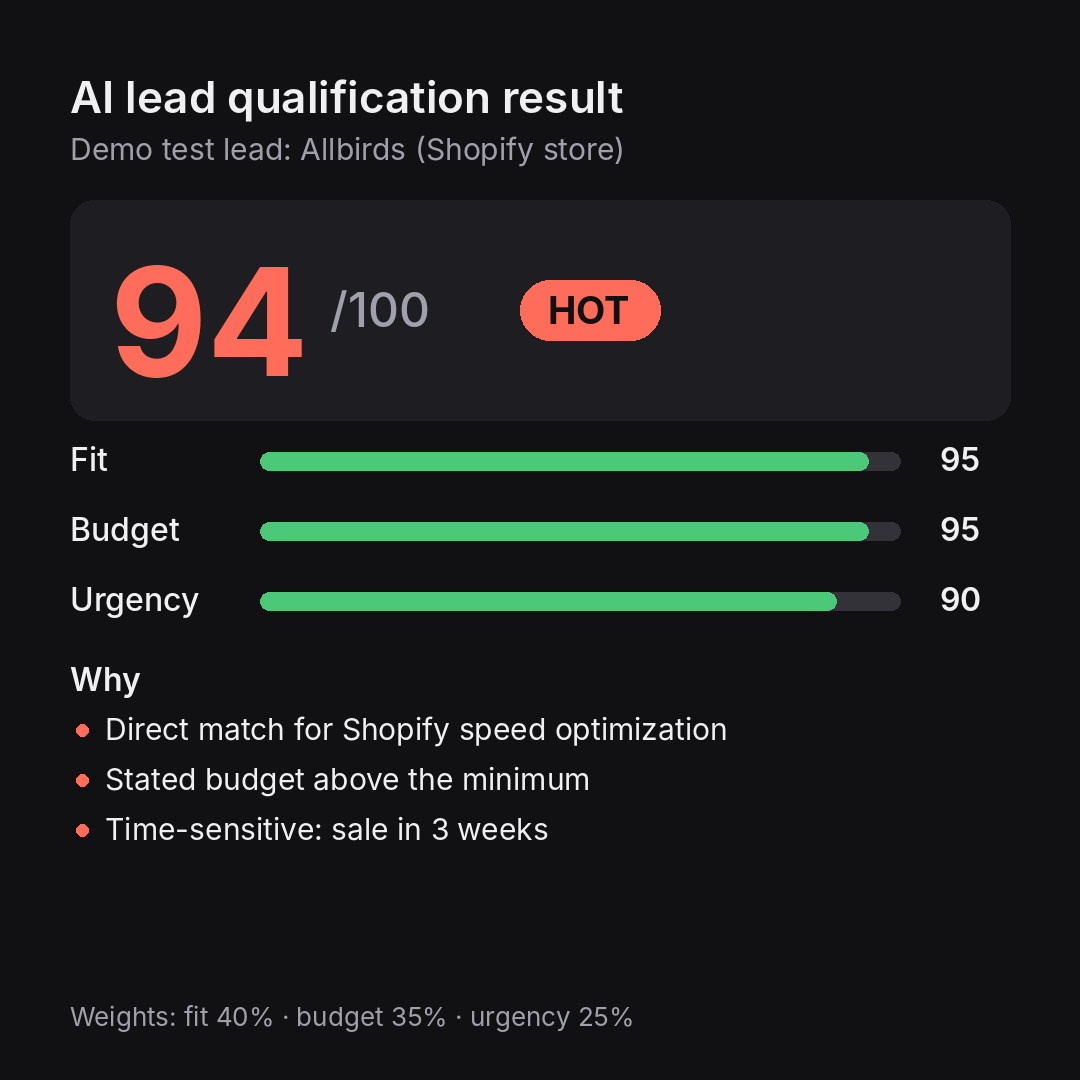
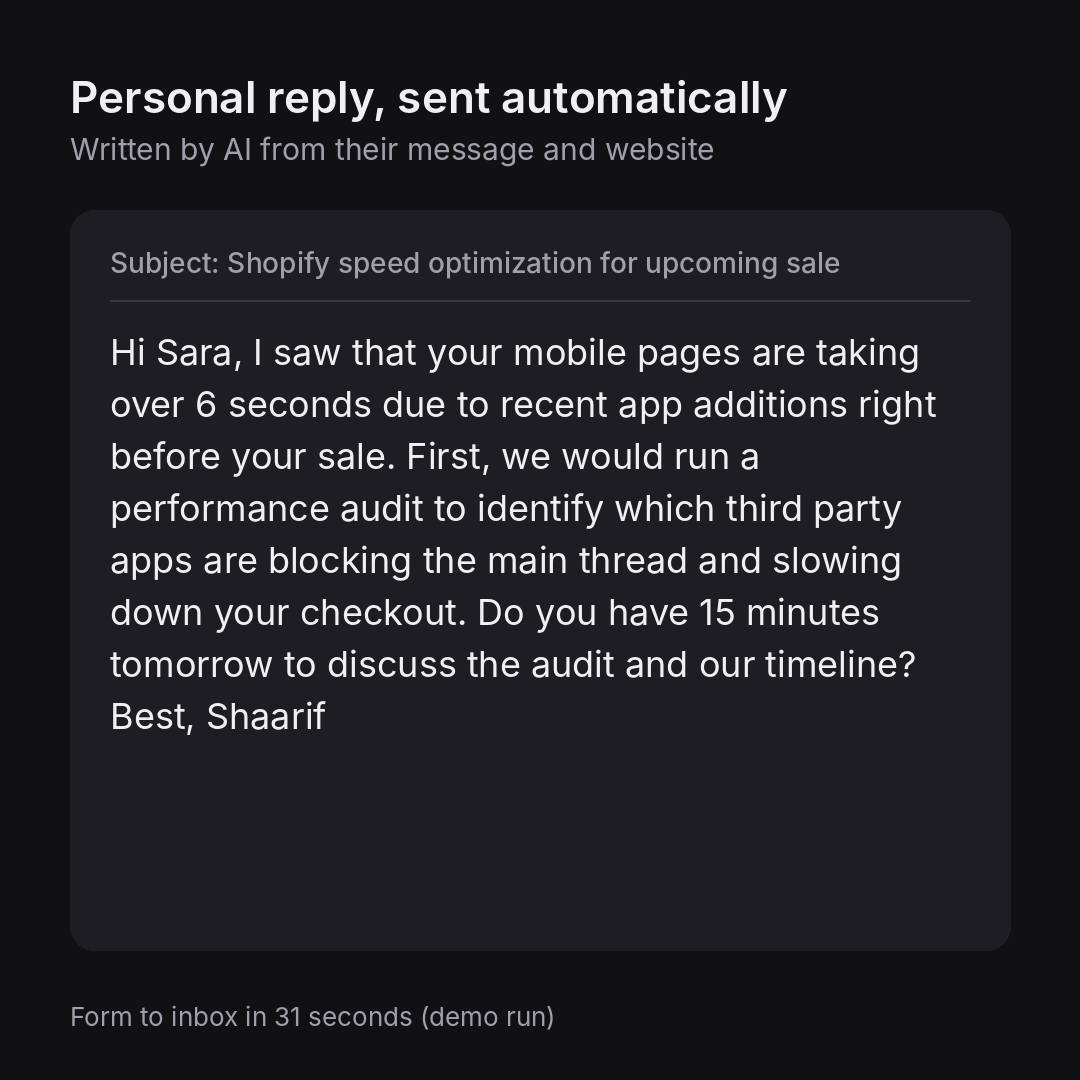
Demo data only. No client data was used.
How it works: three workflows, one Google Sheet as the source of truth.
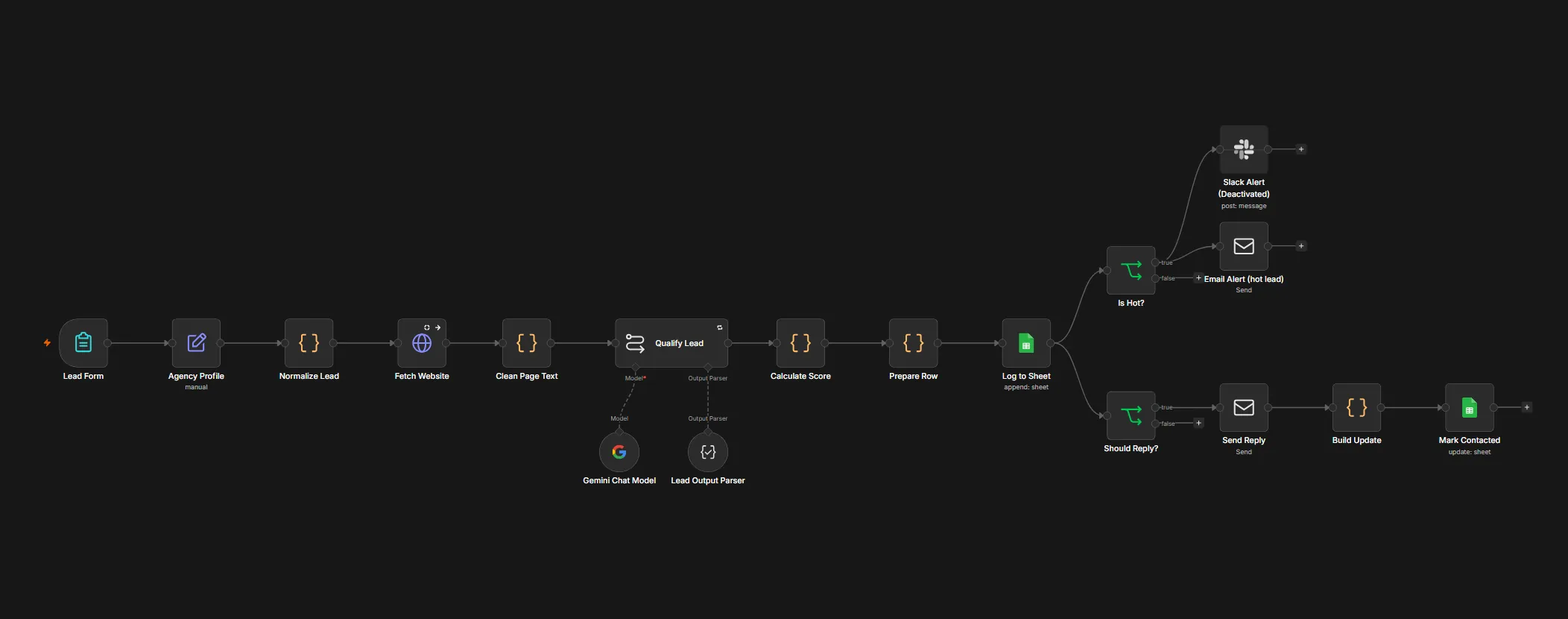
Lead Intake
Runs on every new lead.
- Capture leadn8n form or any webhook
- Research companyFetch and clean the lead’s website
- QualifyGemini returns JSON against a fixed schema
- Score and logCode calculates the score, row added to the Sheet
- ActAlert for hot leads, personal reply for warm and hot
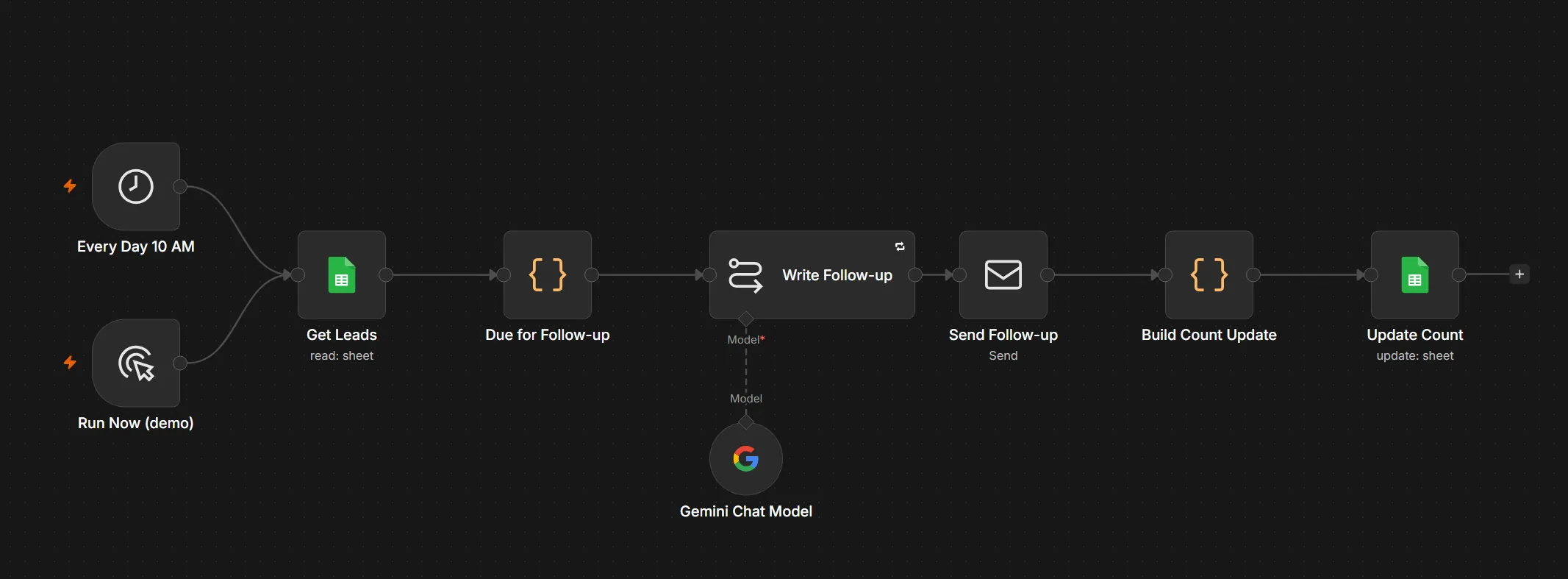
Follow-up
Runs every day at 10 AM.
- Find due leadsContacted 3+ days ago, under 2 follow-ups
- Write follow-upGemini writes a short, specific nudge
- SendEmail over SMTP
- UpdateCount goes up, closed after the second follow-up
Reply Watcher
Watches the inbox over IMAP.
- New email arrivesIMAP trigger
- Match the senderCompare with lead emails in the Sheet
- Mark repliedStatus becomes replied, follow-ups stop
The AI gives evidence. Code decides the score.
Gemini returns three sub scores with reasons. The final number and tier are plain JavaScript in the Calculate Score node, so the same lead always gets the same score, the weights can be tuned without touching the prompt, and every score can be explained to a client.
lead_score = fit * 0.40
           + budget * 0.35
           + urgency * 0.25

-10 if free email domain and no website
-10 if 2 or more red flags

hot   >= 75
warm  45 to 74
cold  < 45  (nurture, no auto reply)
Score weights
How much each AI sub score counts toward the final lead score.
From the Calculate Score node in the workflow.
Key decisions and why I made them.
AI judges only on evidence
The prompt tells the model to use only the form and the scraped website text. If the site is missing, confidence goes down instead of the model guessing.
Reusable for any agency
Services, minimum budget and sender name live in one Agency Profile node. Change those values and the same workflows work for a different business.
Follow-ups stop when the lead replies
A separate Reply Watcher marks the lead as replied, so nobody gets chased after answering. Max 2 follow-ups, then the lead is closed.
No keys in the repo
Every credential lives in n8n. The workflow JSON on GitHub has placeholders only, and the repo has demo data only.
Limits
Some websites block scraping. The flow keeps going and the AI gets “website not available”, so confidence drops.
AI scores are a first pass, not a final sales decision.
Follow-ups are new emails with a “Re:” subject over SMTP, not replies inside the same thread.
The form runs on the n8n URL. A public site needs a public n8n URL, for example a Cloudflare Tunnel or hosted n8n.
Run it yourself: setup in 7 steps.
Everything is on GitHub: the 4 workflow files, prompts, output schema and Sheet columns. The full guide is in the README.
Tech stack
- Google SheetCreate it and share it with your Google service account email as Editor
- ImportThe 4 JSON files in n8n: Workflows, Add workflow, Import from File
- CredentialsGoogle Service Account, Google Gemini API (free key from Google AI Studio), SMTP, IMAP
- PlaceholdersSheet ID, your email and name, services and minimum budget in Agency Profile, IMAP start date
- Run setup once00 Setup creates the Leads tab
- TestExecute the intake workflow and submit the test form
- PublishTurn on workflows 01, 02 and 03